Magento 2
This is a all-in-one plugin for Magento 2 (“Adobe Commerce”) that allows you to configure client-side captcha widget and server-side verification.
Features
- Form Protection: most standard store forms (see below)
- Flexible Configuration: Theme, language, start mode, and custom styling options
- EU Compliance: Support for EU-only endpoints and custom domains
Admin panel is available in English, German and French.
Step-by-step setup guide
Create a new property in Private Captcha portal
Go to Private Captcha Portal and click “Add new property” button.
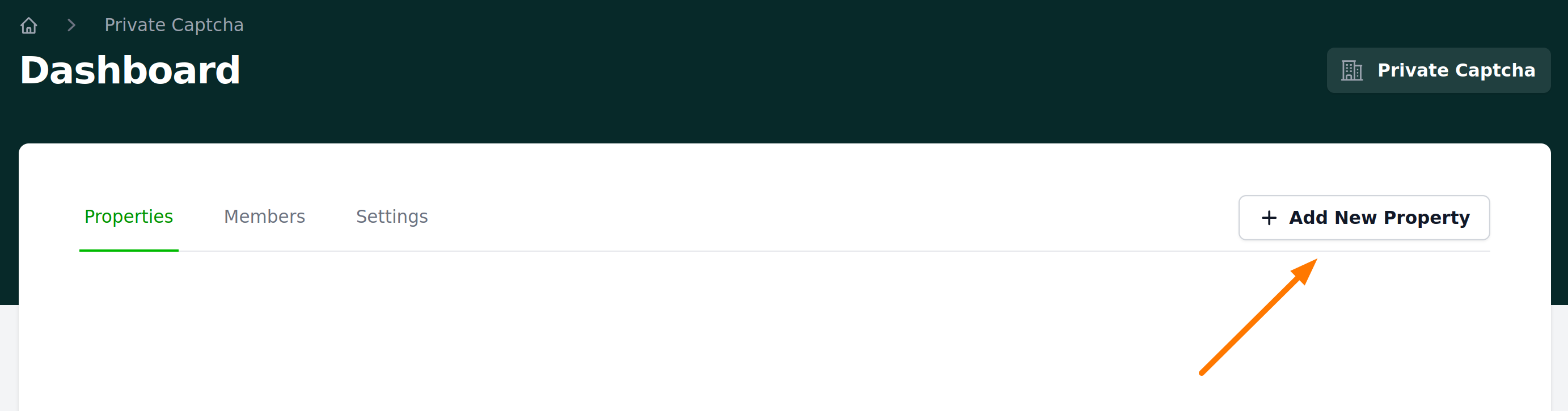
Enter name and domain of your Magento website e.g. mydomain.com and “My Magento store”.
Warning
Domain of the property should exactly match your Magento website domain.

Note Sitekey of the property
Open “Integrations” tab and note the Sitekey of the property you just created. You will need it for Magento plugin configuration.

Create a new API key
Go to API key settings and click “Create new key”. Give it some meaningful name, like “Magento API key” and select the scope Captcha verification.
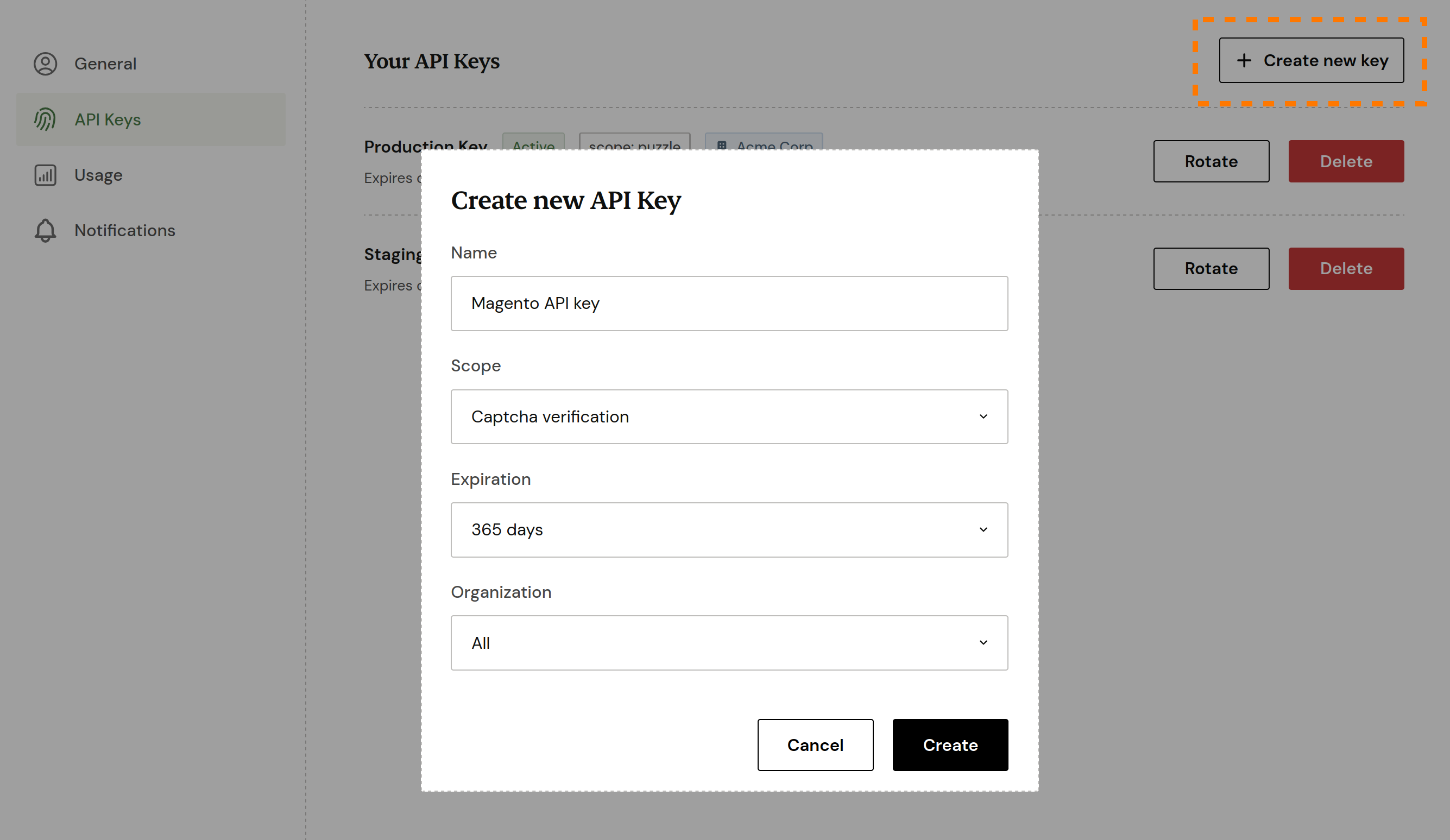
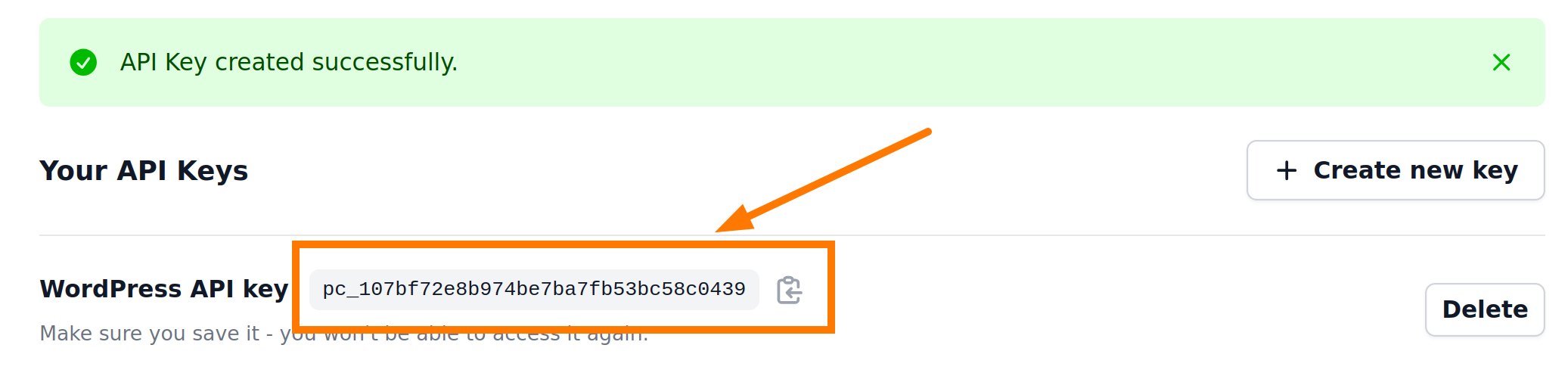
Copy API key value to your password manager to temporarily save it (note the expiration time you selected when creating above).
Install Private Captcha plugin in the Magento project
composer require private-captcha/magento2
bin/magento module:enable PrivateCaptcha_PrivateCaptcha
bin/magento setup:upgrade
bin/magento setup:di:compile
bin/magento setup:static-content:deploy -f en_US
bin/magento cache:flush
Configure Sitekey and API key
Open “Stores -> Configuration -> Security” and in the Private captcha section, configure the plugin using values, that you created previously in the Private Captcha portal:
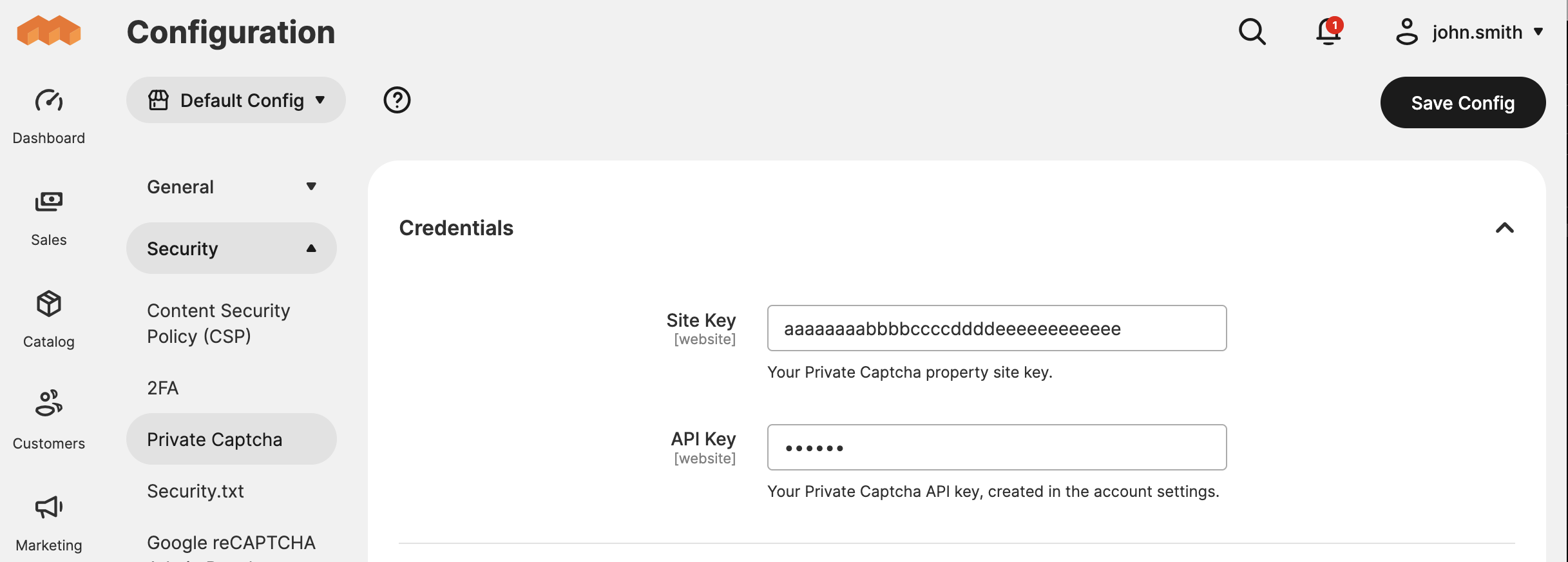
Notably, put created API key into a required field “API Key” and property sitekey into a required field “Site Key”.
Click “Save Changes” button below and your configuration will be verified.
Test integration
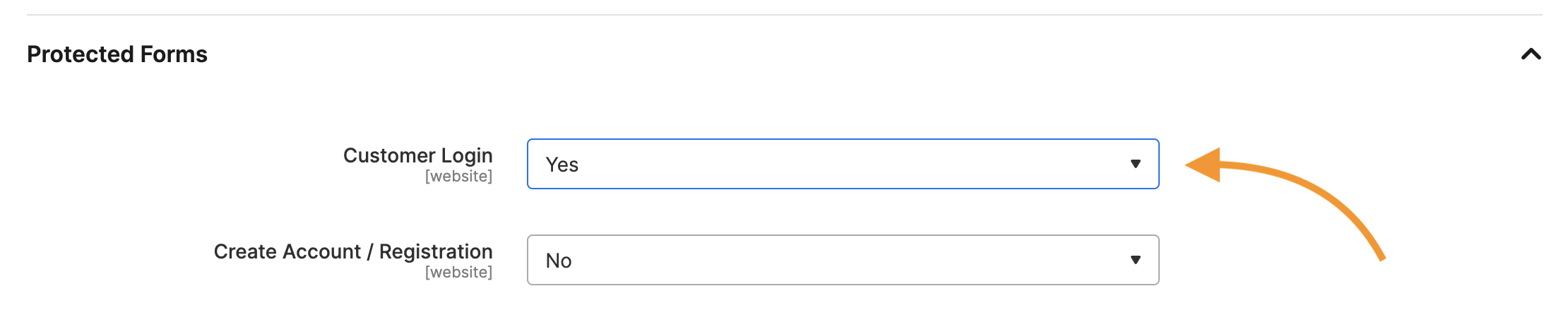
Just for test, enable “Customer Login” form integration.
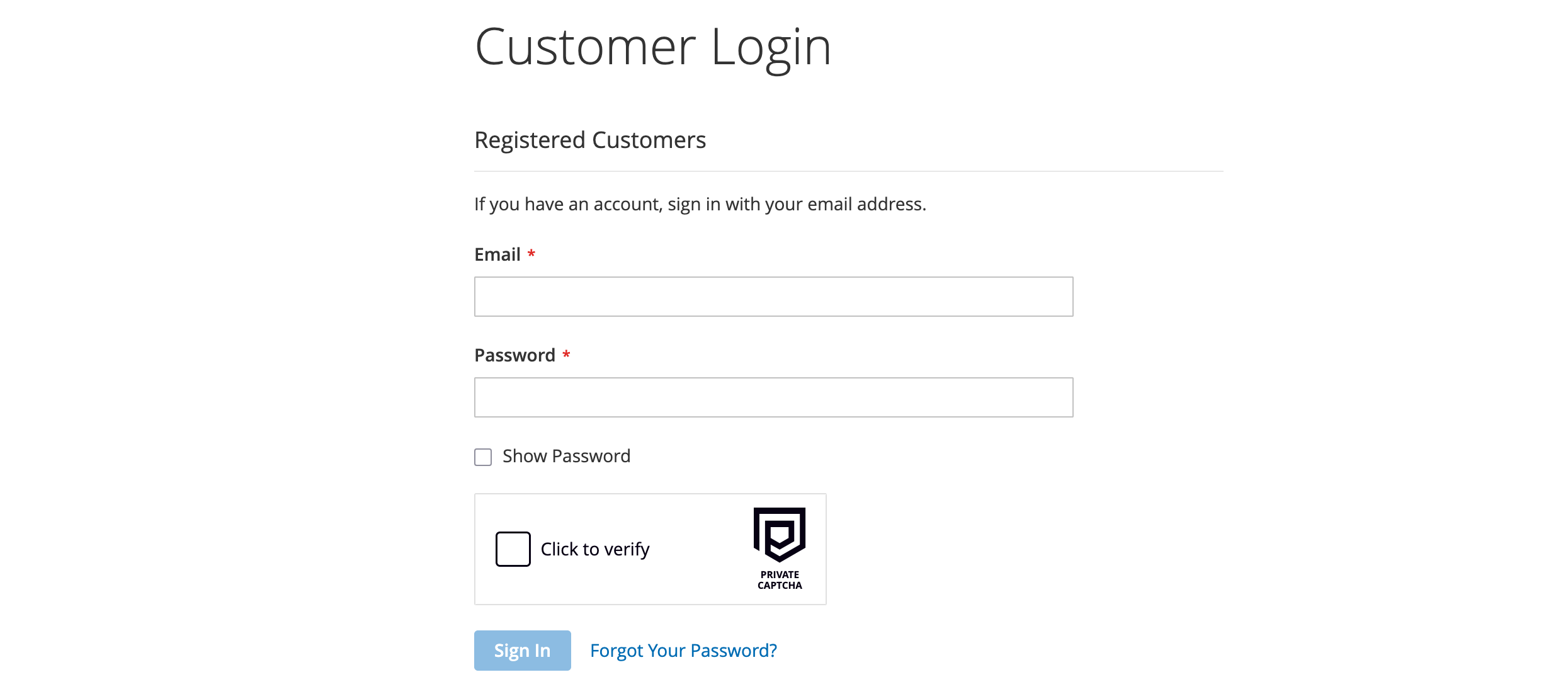
Now, open login page for your store (e.g. in Private browser tab):
Supported Forms
- Customer Login
- Registration
- Forgot Password
- Contact
- Product Review
- Send to Friend
- Wishlist Share
- Orders & Returns
Troubleshooting
Warning
Make sure to exclude Private Captcha script from any caching plugins you might be using. Only load script from cdn.privatecaptcha.com.
Form integration is enabled, but captcha does not load.
Possible reasons:
- Domain name of your Magento 2 store does not equal exactly to the domain name of the property in Private Captcha portal
- If you are testing locally, you need to enable “Allow localhost” in Property settings
Requirements
- Magento / Adobe Commerce 2.4.x
- PHP 8.1+
- Private Captcha account