Form proxy
Form proxy allows you to use our endpoint (e.g. https://api.privatecaptcha.com/form/123) instead of your endpoint for <form> request. We will forward (“proxy”) only submissions when captcha and rate-limiting have passed.
    flowchart LR
    subgraph site["Your website"]
        A[Form]
    end
    subgraph api["api.privatecaptcha.com"]
        B[CAPTCHA + rate limit]
    end
    A -- submission --> B
    B -- ✓ --> C[Your webhook]
    B -- ✗ --> D[Blocked]
    style D stroke:#e24b4a,color:#e24b4a
This allows to secure your endpoint:
- we check if captcha was solved (this assumes you will use Private Captcha widget on the form)
- your actual form URL is hidden (security-by-obscurity) and no one knows about it
- we apply rate-limiting and other protection rules to the form endpoint and captcha
This makes it for a perfect use-case for forms on static websites or general webhooks protection (e.g. forms backed by Google Docs, Webflow or Zapier / Make / N8N).
Captcha property
Each form proxy has to be used with a captcha property (the point of “form proxy” is that we check captcha solution for you).
When you create a new form, a new corresponding property is created. This property can be managed from the Form settings, but it cannot be moved or deleted independent of the form. You can configure various difficulty rules for the captcha property and they will be taken into account when performing Form security check prior to forwarding the submission.
Settings
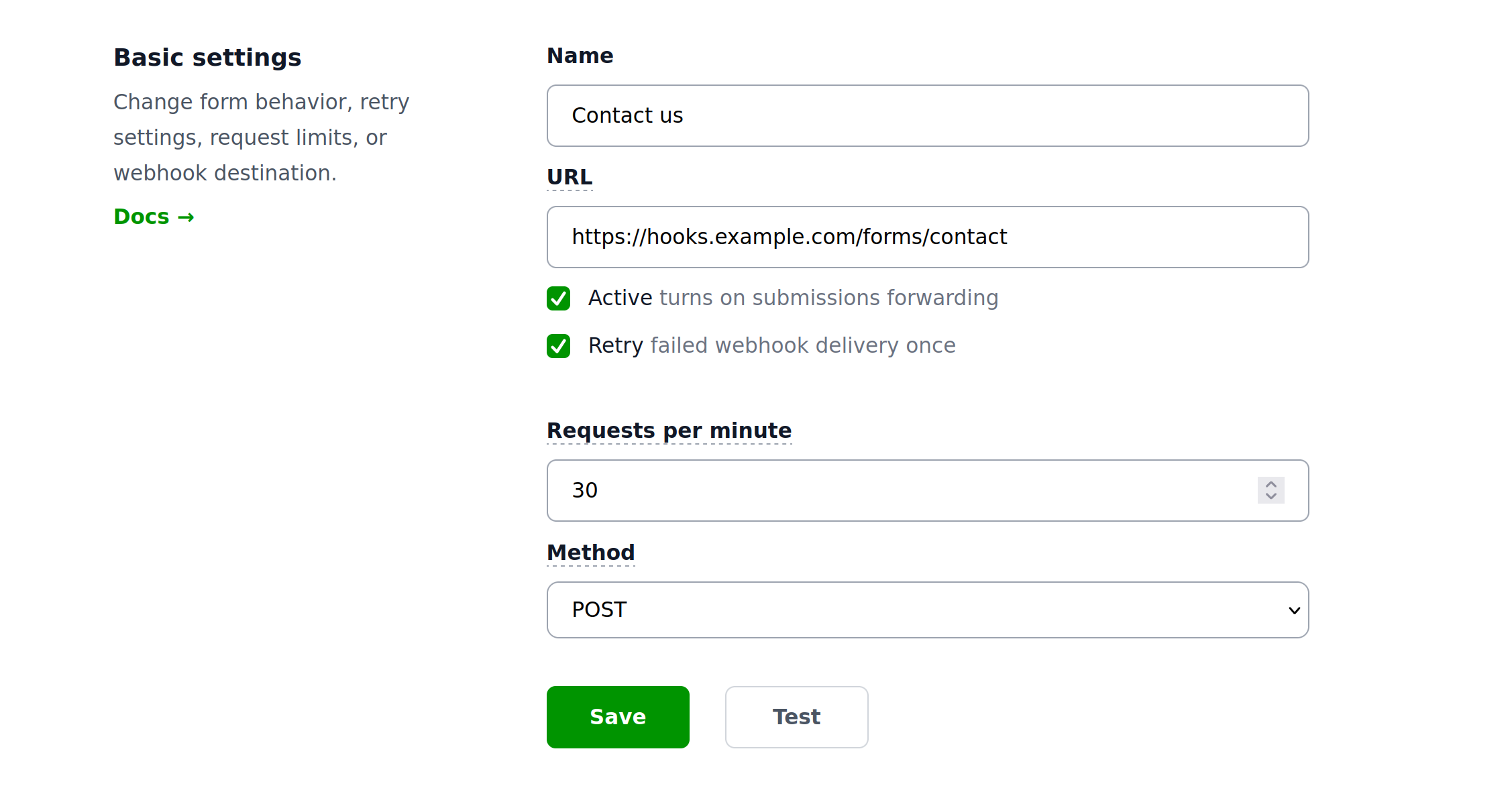
We’ll go through all form settings that you can change.
URL
This is where the actual form submissions will be forwarded after the captcha verification and other security (e.g. rate limiting) applied.
Method
You can select one of the standard HTTP methods: POST (default), PUT, DELETE and PATCH. All forms use POST by default for forwarding requests.
Requests per minute
You can limit how many requests can be forwarded to your destination each minute (default is 10). Submissions exceeding this limit will be rejected with 429 (Too Many Requests). Each configuration includes “burst” which is set to RPM + 10.
Retry
You can optionally configure requests to be retried when the endpoint returns 5xx HTTP error code or network connection problems occurred. Retries are attempted after a delay.
Integration
You can integrate this with a number of form backend services:
- FormInit (formerly Getform)
- Formspree - general backend
- FormSubmit - email forwarding
- FormSpark - email forwarding
- Basin
- StaticForms
And any other automation software like N8N or Make.
Setup
Create form in the provider
In the provider of your choice create a new form. Note the form URL they give you.
In N8N/Make it will be the webhook URL.
Create Form Proxy
In Private Captcha portal create a new Form Proxy. Use that provider’s URL in the URL field.
Use proxy URL in your form
In your actual website, use something like:
<form action="https://api.privatecaptcha.com/form/<long-id>"
      method="POST">
	<!--- the rest --->
</form>
You will get an exact snippet you need to use after you’ve created the form.
Limits
Billing
Forms limits are tied to property limits. Each form submission requires a valid captcha puzzle (and a solution). So number of forms is limited by the number of properties in your account and number of submissions is limited to the number of requests included for your properties.
Technical
The only accepted inbound form type is application/x-www-form-urlencoded (multipart/form-data or any other forms are not accepted).
Form size is currently limited to 1 MB max and will likely be reduced in future.
The only HTTP method available for inbound requests is POST.
Redirects are treated as errors.
Deactivation
Form will be deactivated in case of multiple sequential failures. You will receive an email notification in such case.
Form is not immediately deactivated in case of requests limits violation (e.g. traffic spike). However, you will be contacted by support.
Privacy
Form submissions are not persisted in any storage, not logged, and are available on our servers only in transit. You have an option to sign the DPA.