Difficulty rules
Difficulty rules is a system of custom modifiers for CAPTCHA puzzle difficulty returned for the end-user, based on various conditions.
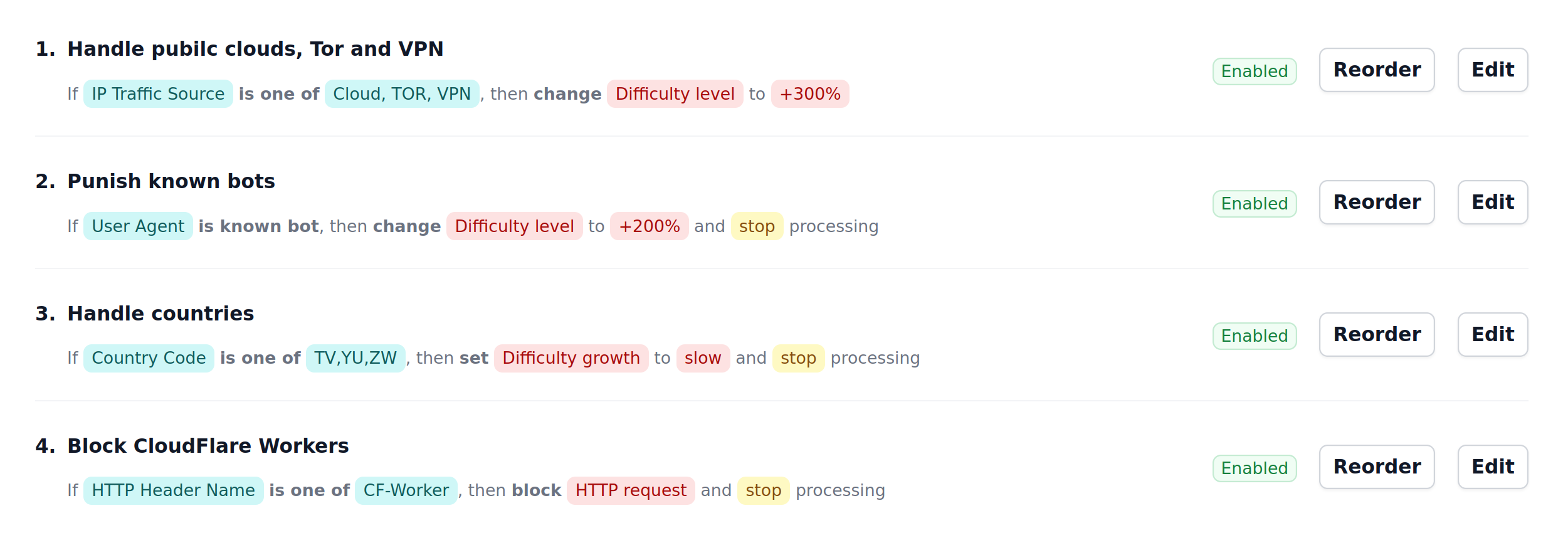
Building a Difficulty rule
Difficulty rule consists of two parts: Condition and Action.
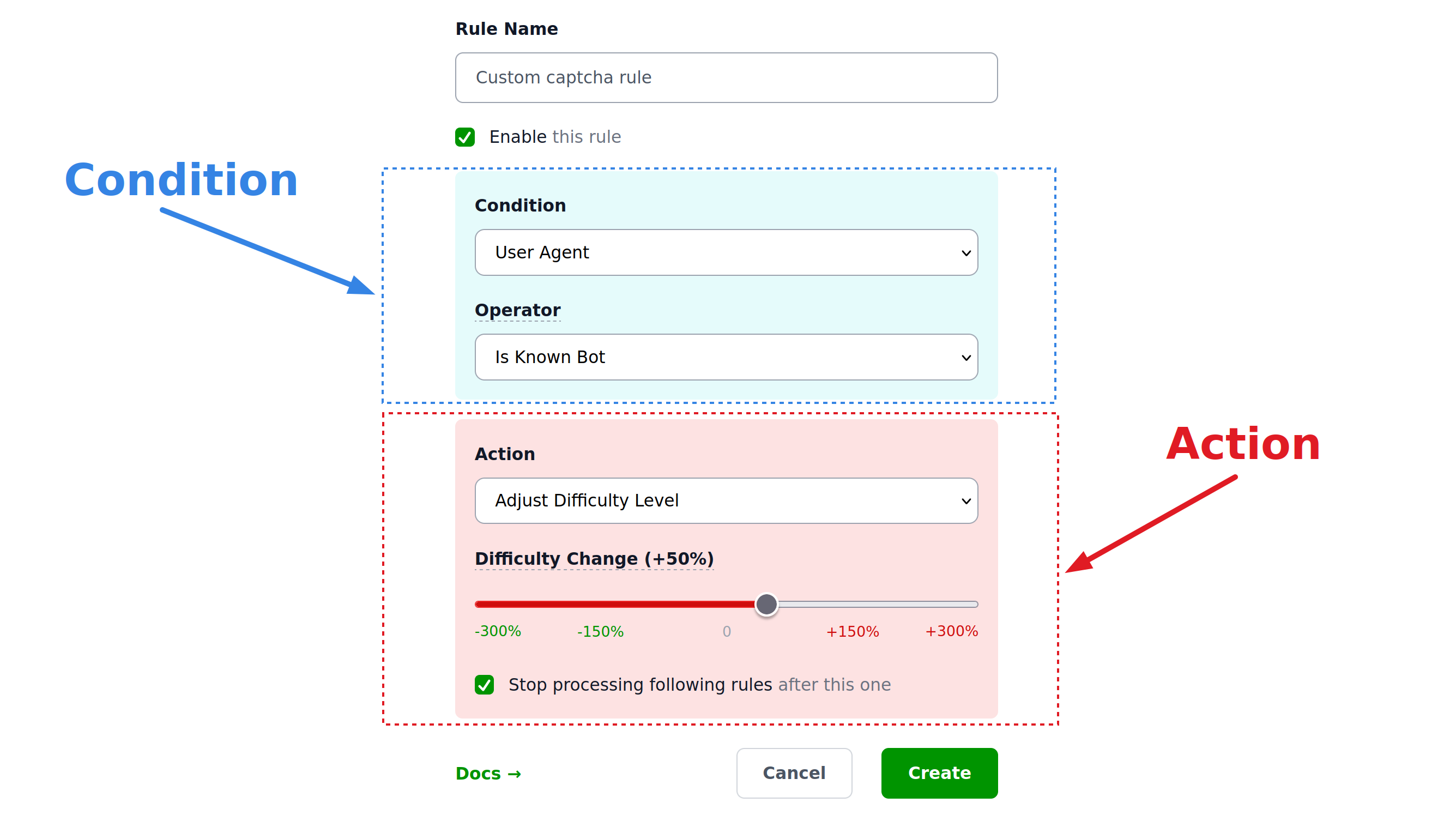
Condition and Action have different background colors in the list of rules and in the rule builder.
Conditions
Conditions consist of the property of the request being matched, an operator that is applied to that property and a value it is matched against.
User Agent
Standard condition is the condition that matches User-Agent HTTP header using the following operators:
- Equals
- Contains
- Empty
- Known bot
(each operator can be negated, so that "Empty" becomes "Not empty"). Note that Contains is case-insensitive here.
Condition operator "Known Bot" covers all requesters that identify themselves as bots (curl, Python requests module and many others).
Example

Traffic Source
Note
This condition is available only in SaaS version of Private Captcha at privatecaptcha.com. It is not available in the self-hosted version.
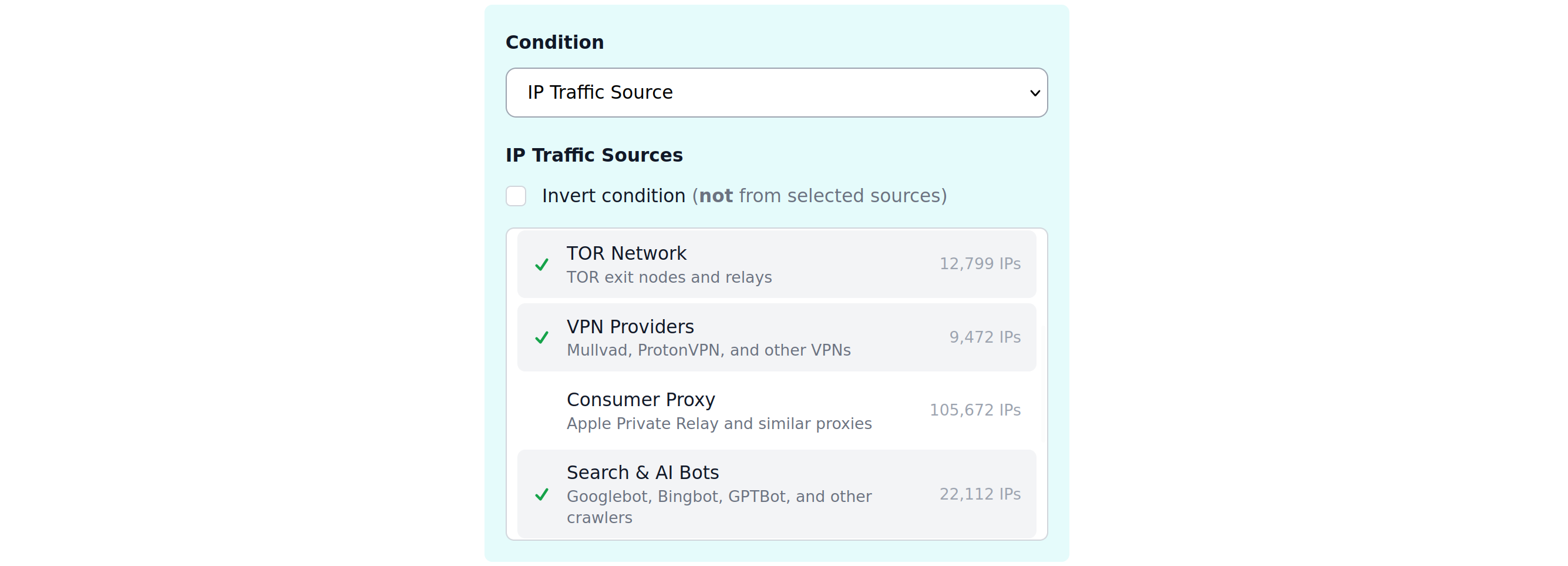
Traffic sources are IP ranges maintained by privatecaptcha.com service and consist of the following lists:
- Cloud providers (AWS, GCP, Azure, Hetzner, and many many others)
- CDN providers (Cloudflare, Fastly, Akamai, and others)
- TOR network exit nodes
- VPN providers (Mullvad, ProtonVPN, and others)
- Consumer proxies (mainly Apple Private Relay)
- Search crawlers (Googlebot, Bingbot, GTPBot, and many others)
- Firehol list (Level 1 and Level 2 combined)
- “Common Threats” (Blocklist DE, NETMOUNTAINS, Emerging Threats, and CINS Army list)
These lists are not complete (e.g. for TOR network they don’t cover literally all exit nodes), but they cover the vast majority of the providers and are comprehensive enough for 99.9% of the use-cases.
These lists are kept up-to-date automatically.
Example
IP Address
You can match standard IP addresses using standard CIDR notation with a list of up to 10 comma-separated prefixes. Both IPv4 and IPv6 addresses work. Supported operators:
- Matches
- Empty
For example, this can be useful as an allow-list for your organization IP ranges.
Example

Country
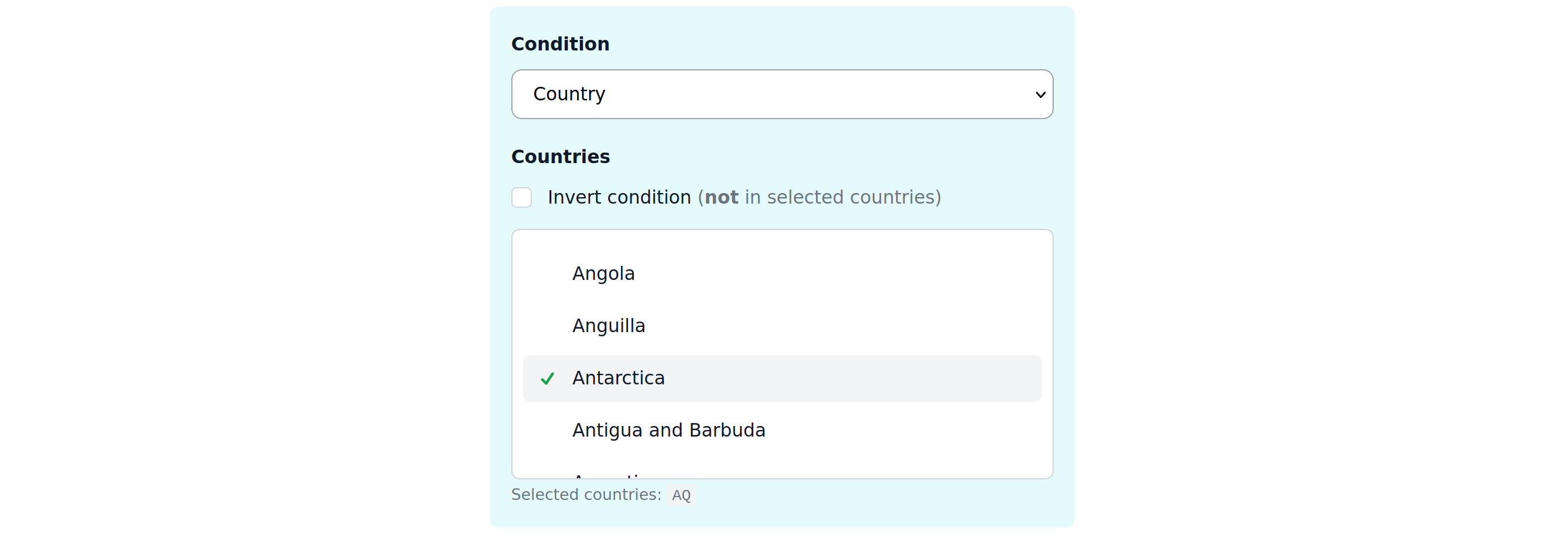
Detected country of the request, available as a list of countries.
Example
HTTP Header
Match if the request has (or has not) one of up to 10 comma-separated HTTP headers.
Example

Always
There’s a simple “Always” condition that always matches all requests. For example, if you need to quickly apply a rule over the organization to all properties.
Example

Actions
Warning
When few conditions match and have the same action type, only the last modification counts.
Actions typically mean adjusting the puzzle difficulty or blocking the request completely. Also here you can decide on the control flow if to keep processing the other difficulty rules after this one.
Difficulty level
Difficulty of the puzzle can be adjusted in percents (%) where percents mean “resources”. So +100% adjustment means puzzle will require 100% more compute resources to complete. This adjustment is applied on top of the Base difficulty and not the final difficulty. It means that on top of that automatic difficulty scaling will take place. You can both increase and decrease difficulty using this action.
Example

Difficulty growth
Difficulty growth (how reactive is automatic difficulty scaling to changes in requests) can be adjusted to any valid level here.
Example

Block request
You can simply block the request, ultimately meaning that form submission will never pass CAPTCHA verification (because there will be no CAPTCHA solution in the first place).
Note that blocking the request automatically means that following rules will not be processed (like if you clicked “Stop processing following rules” on any other rule action).
Example

Break / noop
There’s a break semantics control flow that allows you to stop processing following rules without any action. This preserves any previous modifiers made by matching rules.
Example

Priority and conflict resolution
Ordering
Rules are always applied top to bottom (both for properties and organizations). Ordering of the rules matter and you can always change it using “Reorder” button.
Organization vs Property
Warning
Property-level rules will be applied to the request after Organization rules.
All rules defined on the Organization level will apply to all properties in that organization. This is a very convenient way to manage rules of many properties at once.
Multiple applied rules
When the request is matched to a few rules and same action is applied (e.g. Difficulty level adjustment, but with different values), only last modification is preserved (aka “last-write wins”).
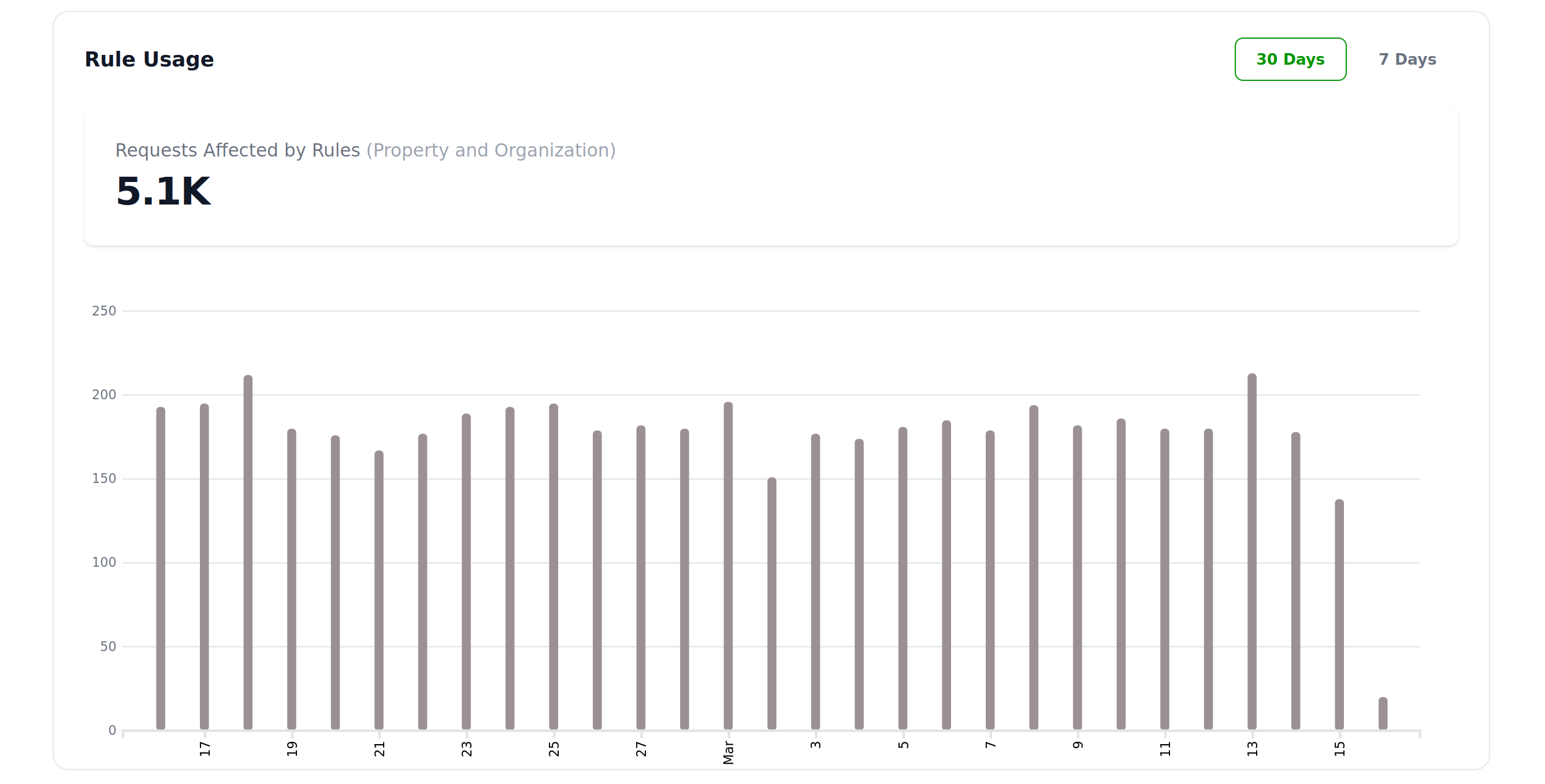
Reports
Usage reports are available only on property level and show how many times property rules were triggered.
Recommendations
It is recommended to make use of Traffic Source (cover at least Cloud providers, Search/Crawlers and “Threat” lists) and bot User-Agent right away as those are very classical spammers/abusers.
You can also change both Growth and Level independently as they help each other and do not conflict.
Limits
SaaS version of Private Captcha has different limits for number of Organization-level and Property-level rules (subject to having specific add-ons). By default every Property has 1 rule included.
Self-hosted version (“Enterprise Edition”) has no rule limit, while “Community Edition” does not have the rules feature at all.