DNS Proxy
It is possible for customers to use their own domains names (subdomains or vanity) with Private Captcha SaaS (at https://privatecaptcha.com) services. For example, a customer may want to use a domain like captcha.customer.com to point to api.privatecaptcha.com so that captcha widget does not contact any other domains except of those of the customer. This is possible to achieve using DNS proxying (also known as “CNAME proxy”).
Note
This feature does not apply to the self-hosted version, which always uses “custom” DNS.
How it works
To make this setup work we need two DNS changes: one on customer side and one on Private Captcha SaaS side. Customer can point their own domains via domain name registar to api.privatecaptcha.com and we handle similar setup on our side. As a result, when end-user visits customer’s website, all interaction with *.privatecaptcha.com domains is fully transparent to them.
    sequenceDiagram
    participant User as End User
    participant Web as Customer Website
    participant CNAME as captcha.customer.com<br/>(CNAME Record)
    participant API as api.privatecaptcha.com

    Note over User,API: Captcha Display Flow
    User->>Web: Visit website
    Web->>CNAME: Load captcha widget
    Note over CNAME: DNS resolves to<br/>api.privatecaptcha.com
    CNAME->>API: Request forwarded
    API-->>User: Captcha displayed<br/>(appears from customer.com)

    Note over User,API: ✓ User only sees customer.com domain
You can also verify puzzle solutions against the same configured domain, but, on the backend, this has little value.
Step-by-step setup
Add a new DNS record
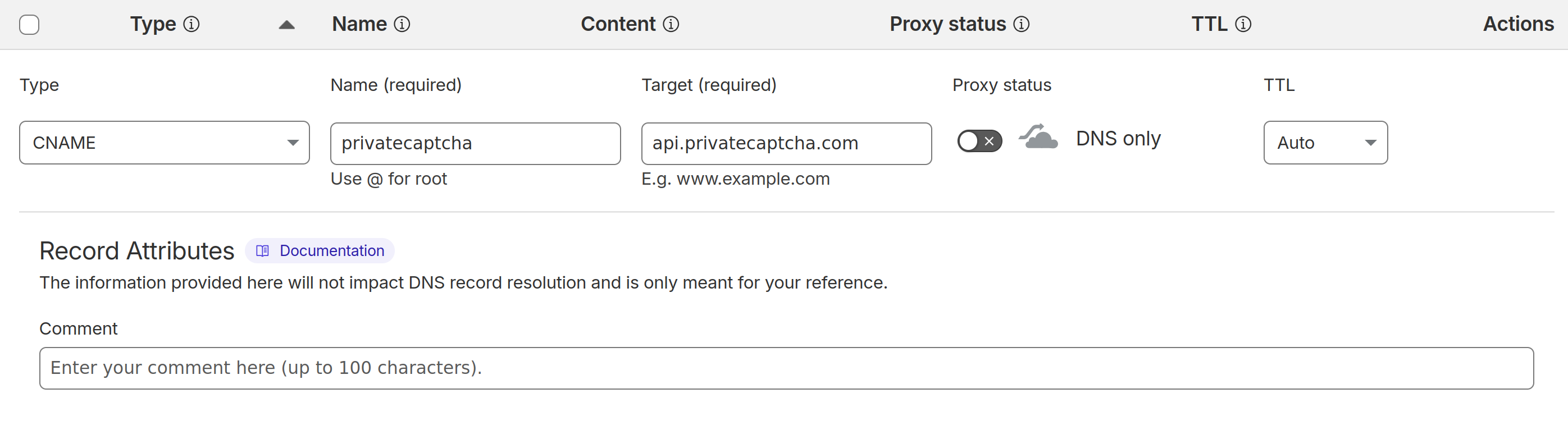
With your DNS provider, setup a CNAME record for the chosen domain/subdomain to point to api.privatecaptcha.com (also possible to choose EU isolation endpoint api.eu.privatecaptcha.com).
Example with CloudFlare:
Setup DNS proxy in Portal
Note
“DNS Proxy” functionality requires to have an add-on purchased via the Billing settings.
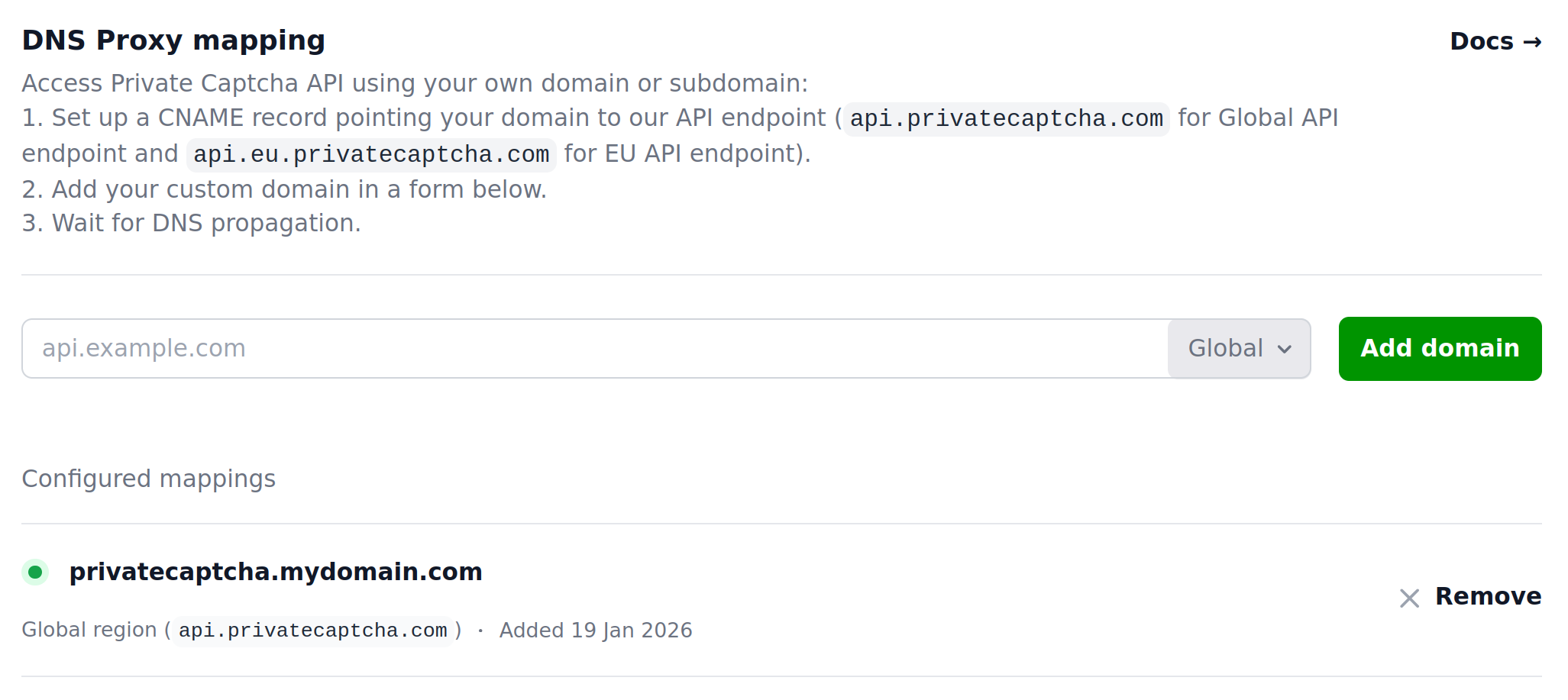
Go to the Private Captcha Portal and navigate to Settings -> DNS Proxy. Enter you domain and select the same endpoint (Global/EU) that you added in the previous step with your DNS provider.
Update widget snippet
The last step is to update the widget to fetch puzzles via your domain. To achieve that you need to set data-puzzle-endpoint attribute.
@@ -32,7 +32,7 @@
    <div class="private-captcha"
+       data-puzzle-endpoint="https://privatecaptcha.mydomain.com/puzzle"
        data-sitekey="xyz">
    </div>
Testing
Note
DNS changes (on both sides!) can take up to 24 hours to propagate.
You can test this locally using a test puzzle:
curl -H "Origin: not-empty" https://yourdomain.com/puzzle\?sitekey\=aaaaaaaabbbbccccddddeeeeeeeeeeeewhen this works, you can try opening the webpage where you have the widget.